Your first post-script
A post-script runs once per finding, after the workflow has produced its findings and after de-duplication and ranking. Use it to enrich each finding - grade it, tag it, build a proof of concept, or write a report.
Create one
Open Post-scripts → New post-script. You can create a blank post-script or choose Generate with AI.
To generate a draft, describe the evaluation criteria, desired output fields and types,
important edge cases, and whether the result should include _chip_ values, a Markdown
report, or a proof of concept. Select the provider, model, thinking effort, and harness;
the engine validates the result and opens it in the normal editor for review. The draft
is not saved until you click Create post-script.
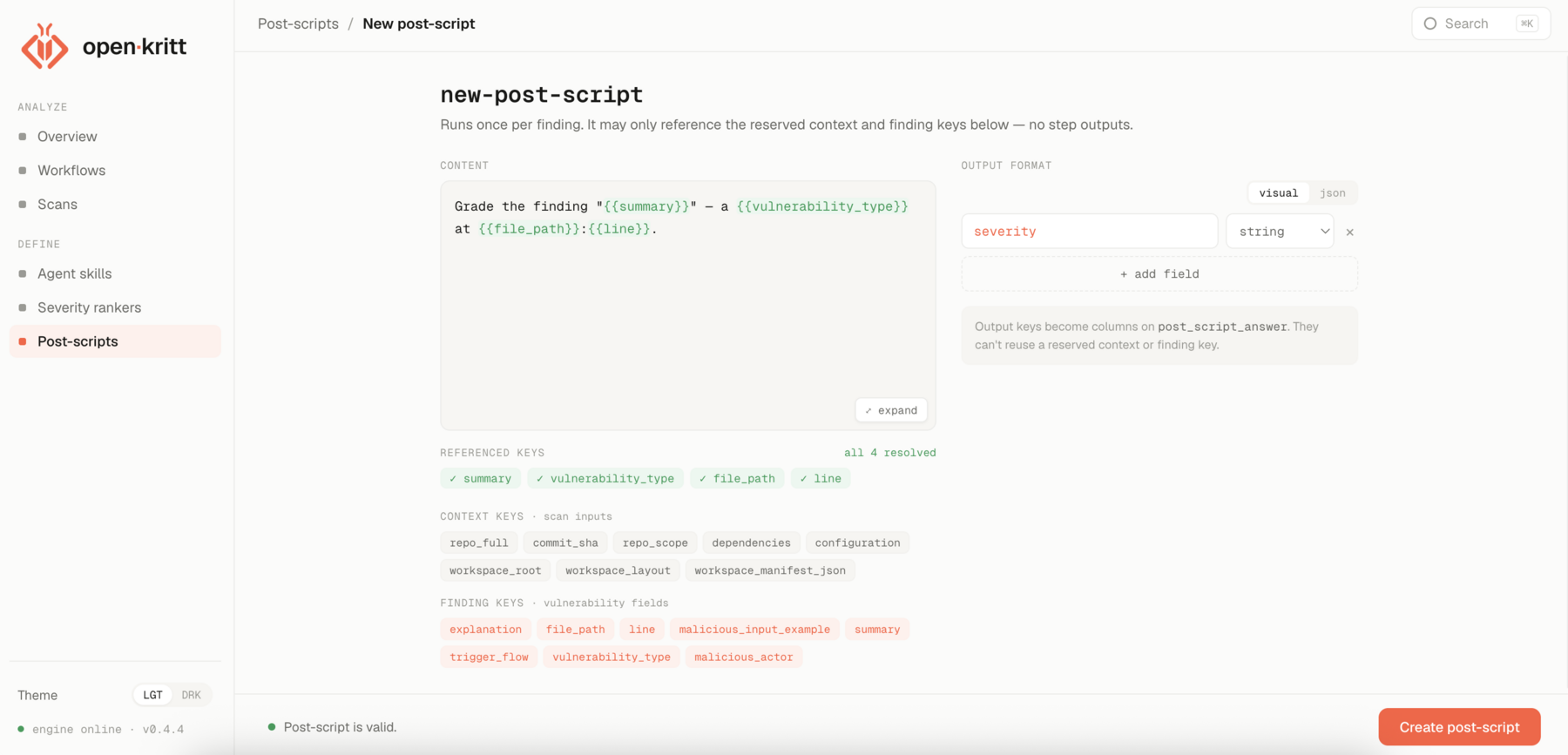
To build one manually, choose Blank post-script, give it a name, and write the content - the prompt the agent runs for each finding. Unlike a workflow step, a post-script may only reference the reserved context and finding keys shown in the editor; it cannot read other steps' outputs.
A simple grading post-script:
Grade the finding "{{summary}}" - a {{vulnerability_type}} at {{file_path}}:{{line}}.

Return:
- severity (string): CRITICAL, HIGH, MEDIUM, or LOW
Declare the output
In Output format, add each key the script emits and its type. These keys become
columns on the finding's post_script_answer, so they can't reuse a reserved context or
finding key.
When the status line reads "Post-script is valid," click Create post-script.
You'll attach it to a scan later. Next, add a severity ranker.