Run the scan
A scan ties everything together: it runs one workflow against a target repository with the model, harness, post-scripts, and rankers you choose. The engine queues it and runs every step.
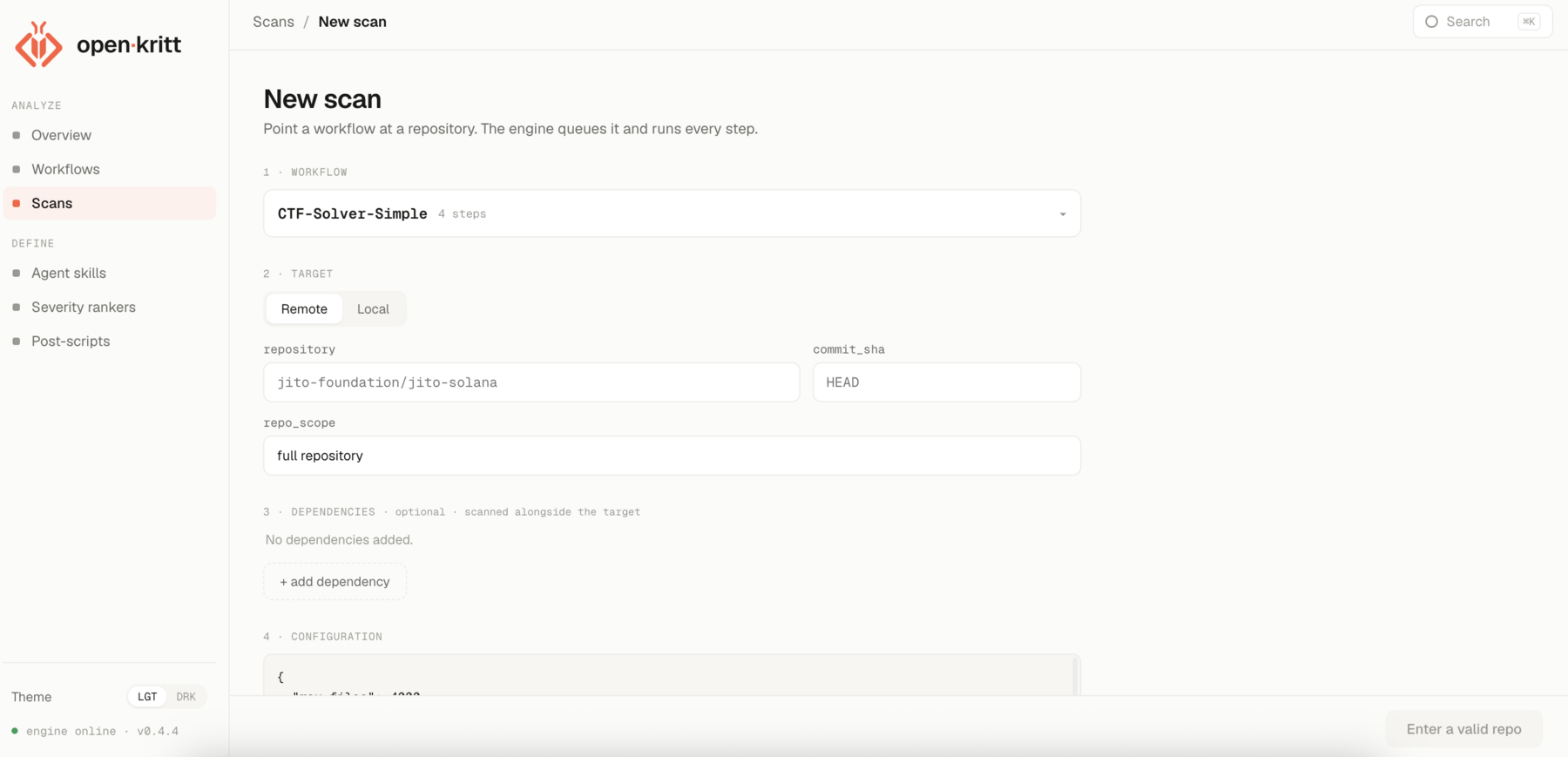
Create the scan
Open Scans → New scan and work down the form:
Choose a workflow
Pick the workflow you built or one of the built-in workflows. The scan will run its steps in depth order.
Choose a target
Toggle Remote or Local. For remote, enter a GitHub
owner/repoand acommit_sha(defaults toHEAD). For local, pick a folder you've mounted. Setrepo_scopeto describe what to focus on (defaults to "full repository").Add dependencies and configuration (optional)
Add dependency repos to be checked out alongside the target, and a JSON configuration blob the agents can read.
Pick model, provider, and harness
Choose a model from the available-model picker for Codex or Anthropic. For OpenRouter, enter its exact model identifier. Then choose from the providers configured for the engine, a compatible harness, and a thinking effort. The form defaults Codex to the Codex harness and Anthropic/OpenRouter to Claude Code. If no provider is listed, complete AI provider setup and recreate the stack.
Attach skills, post-scripts, and rankers
Select any agent skills, one or more post-scripts (the first is the primary), and one or more severity rankers plus optional scan-specific rules.
Launch
Submit. The successful path is
pending, optionalprewarming_cache,running,post_processing, thencompleted.
prewarming_cache prepares reusable checkout/workspace state and may be skipped. An
operator can move active work to paused; stopped and failed can be resumed after the
underlying issue is resolved. See errors and re-runs.
Watch it run
The scan detail page shows live status, active jobs, and any errors. As findings land, they appear in the list - ranked by your ranker, enriched by your post-scripts.
View the results
When the scan finishes, open any finding to see its full write-up, proof of concept, and post-script output. See Scan results for the tour.