How to create a ranker
A ranker is a set of Markdown rules the model applies when ordering a scan's findings.
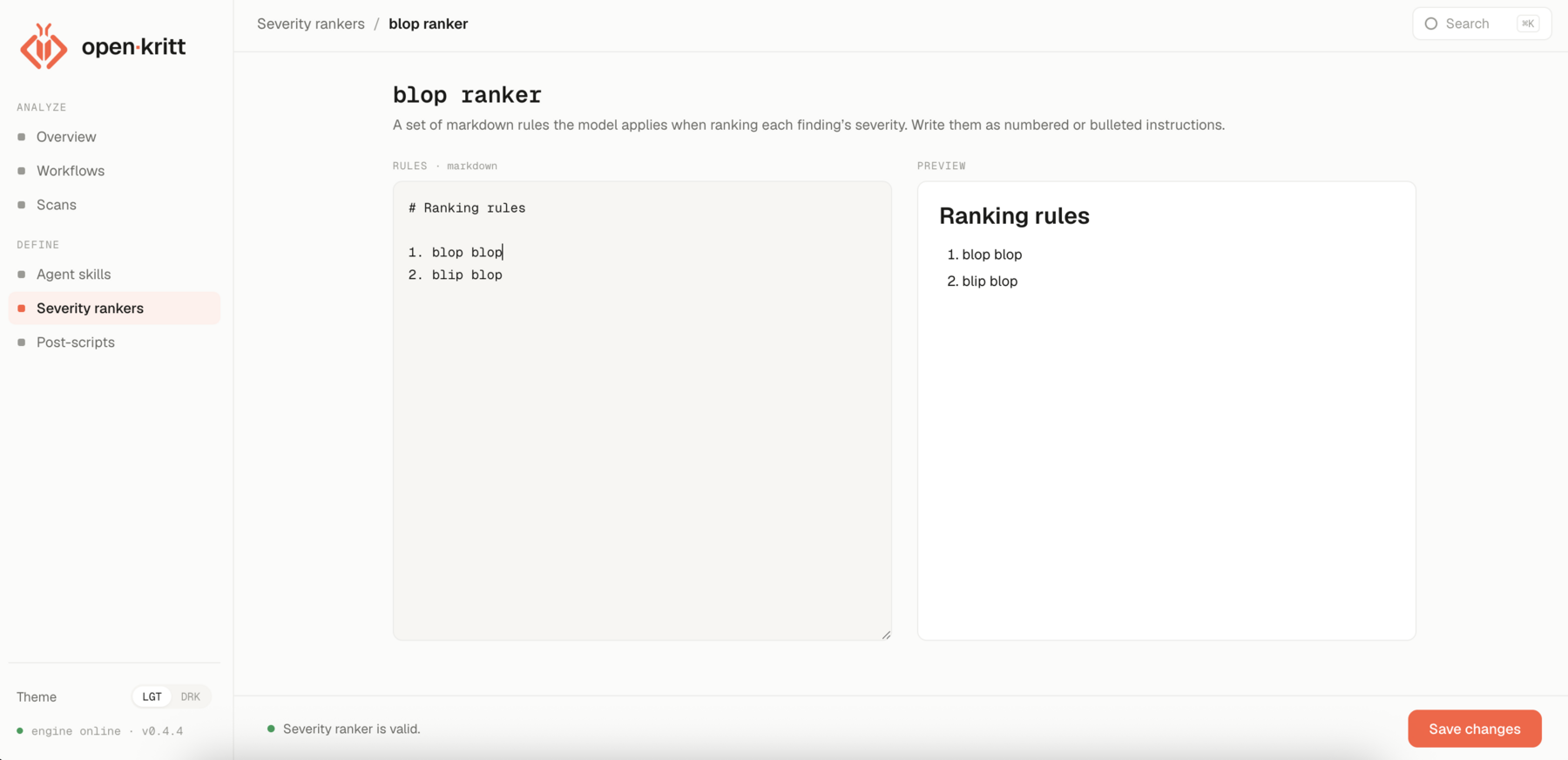
Write the rules
Open Severity rankers → New severity ranker, name it, and write numbered or bulleted instructions. Be concrete about what raises and lowers priority:
# Ranking rules

1. Unauthenticated remote code execution ranks highest, always.
2. Authentication or authorization bypasses on sensitive actions rank next.
3. Information disclosure ranks by the sensitivity of what leaks.
4. Downgrade anything that needs privileged access or non-default configuration.
5. Downgrade findings that are only reachable with local access.
The editor renders a live preview. When the status reads "Severity ranker is valid," save it.
Combine rankers on a scan
Rankers are attached at scan time, and you can pick more than one:
- Select any number of saved rankers - their rules are concatenated in selection order.
- Add optional scan-specific rules in the free-text box; these are appended after the selected rankers.
The combined ruleset is what the model uses for that scan, so you can keep a stable house ranker and layer target-specific rules on top without editing the original.
Next: add and use skills.